01
Manual tracking is easy to forget
Opening an expense tracker after every payment creates an additional step that many users eventually stop following.
The PayPause ideaMindful spending, one payment at a time
Record the amount, choose a category, and continue to your preferred UPI app. PayPause helps you stay aware of your spending without changing how you pay.
PayPause is an expense-tracking layer. It is not a bank, does not hold your money, and payments are completed in an external payment app.
The expense-tracking gap
Many expense trackers depend on users entering purchases after they have already paid. Others automate tracking by requesting access to transaction messages. PayPause takes a different approach: it fits expense recording into the UPI payment journey.
Opening an expense tracker after every payment creates an additional step that many users eventually stop following.
Some apps categorise transactions by reading payment-related SMS messages. This is convenient, but not every user wants to provide that access.
Enter the amount, choose a category, and continue to your preferred UPI app—all within one connected flow.
How it works
Enter the amount, choose a category, and continue to your preferred UPI app. PayPause records the expense before redirecting you to payment.
Three actions, one connected journey. No separate expense entry after the payment.
Start by entering the amount you are about to spend.
Give the expense useful context—food, travel, shopping, or your own category.
PayPause saves the expense, then redirects you to your preferred compatible UPI app to complete payment.
The expense is saved and organised inside PayPause as part of the same flow. The actual payment is completed through the compatible external UPI app you choose.
Features with purpose
Each feature is designed to make everyday spending easier to notice, organise, and understand.
PayPause supports your decisions. It does not block spending or promise that you will save money.
Record everyday spending in a few focused steps, while the details are still fresh.
Set practical limits for the parts of life you want to watch more closely.
See a timely heads-up before spending when a category is nearing its budget.
Turn recorded expenses into clear patterns that are easier to understand and act on.
Build a daily habit of checking in with your spending—without guilt or rigid rules.
Keep using core local expense features even when your internet connection is unreliable.
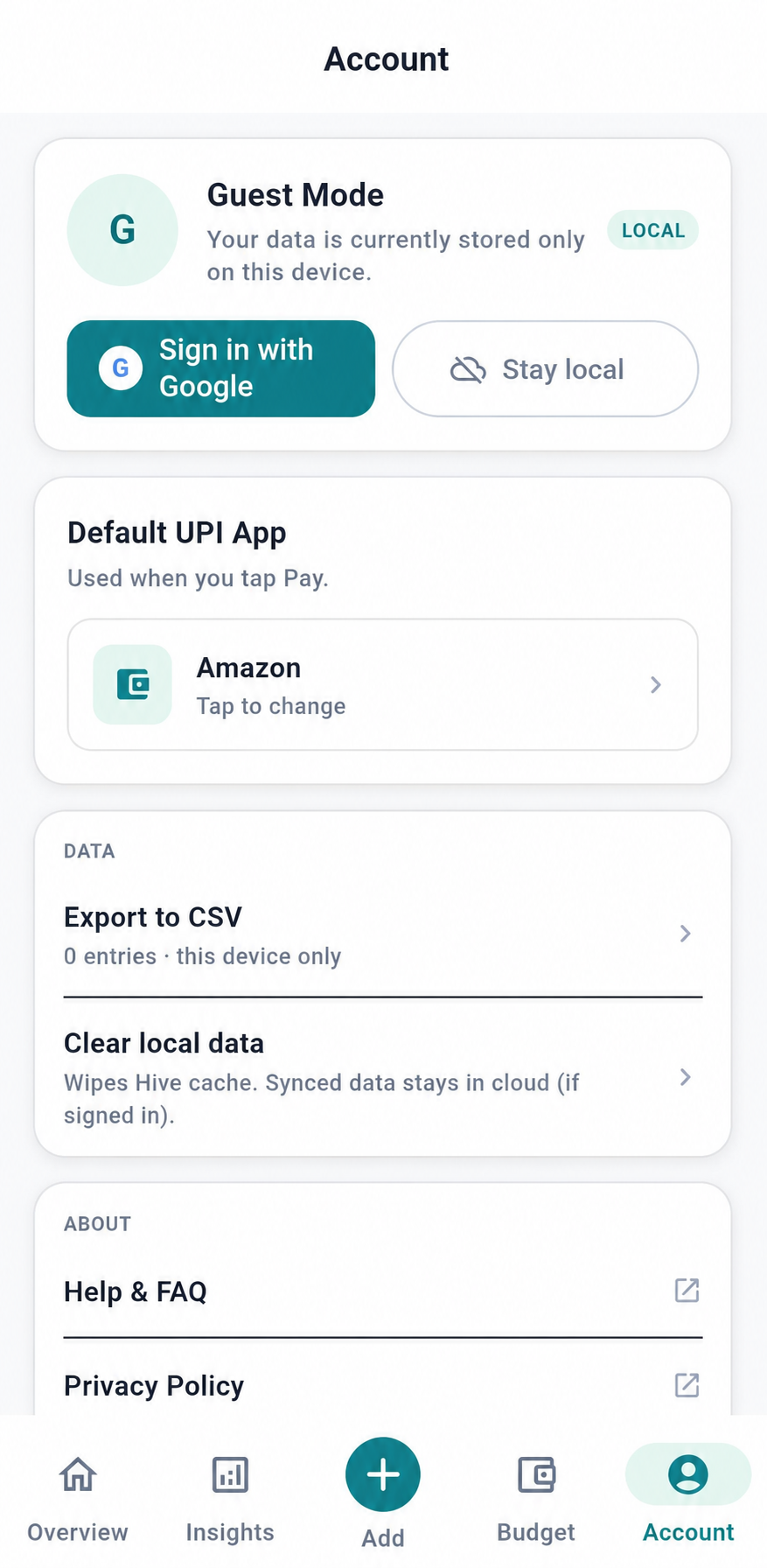
Use PayPause as a guest, or sign in when available to synchronise supported app data.
Built around a simple idea
Better awareness can begin before the receipt.
Inside the app
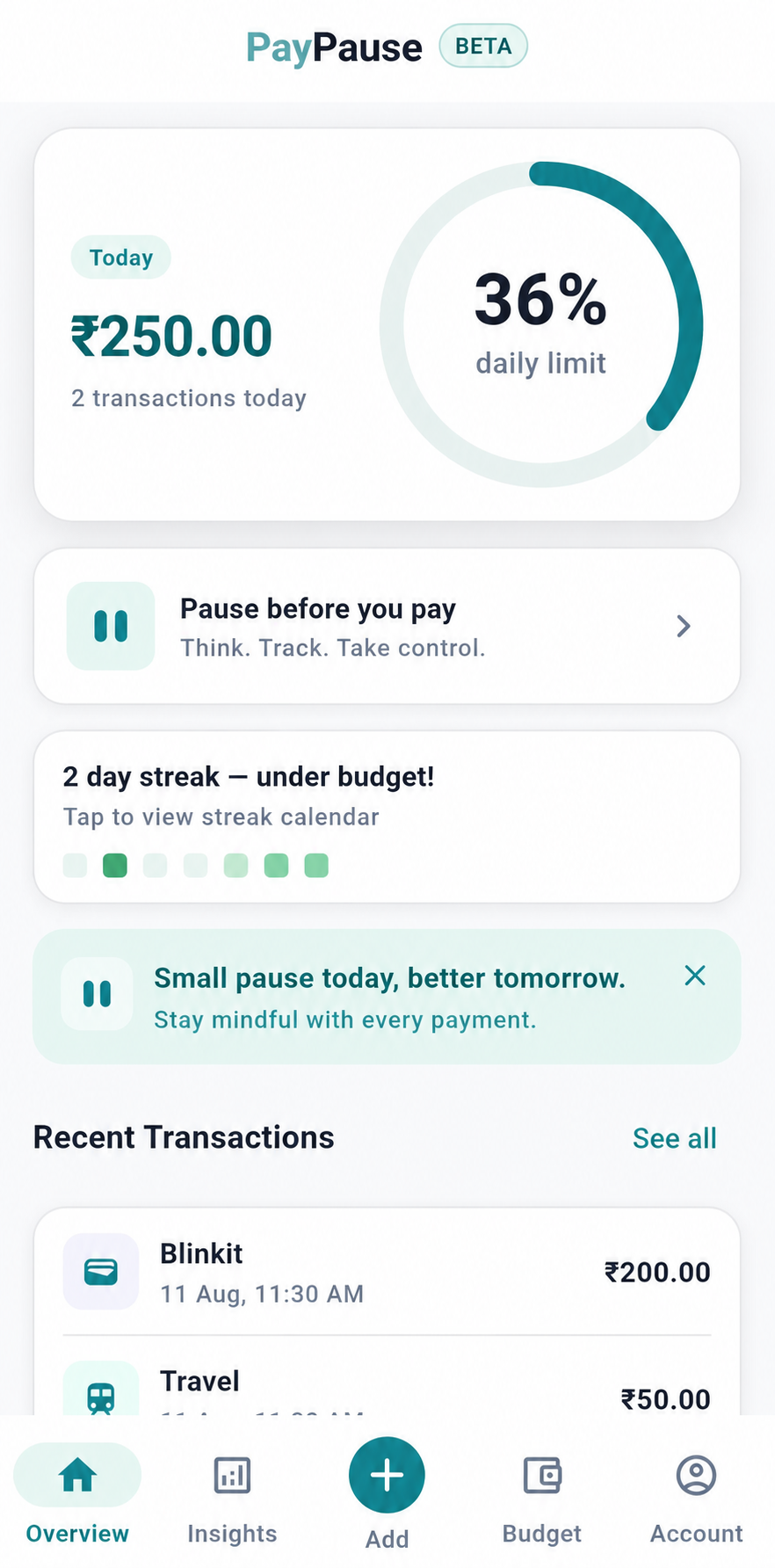
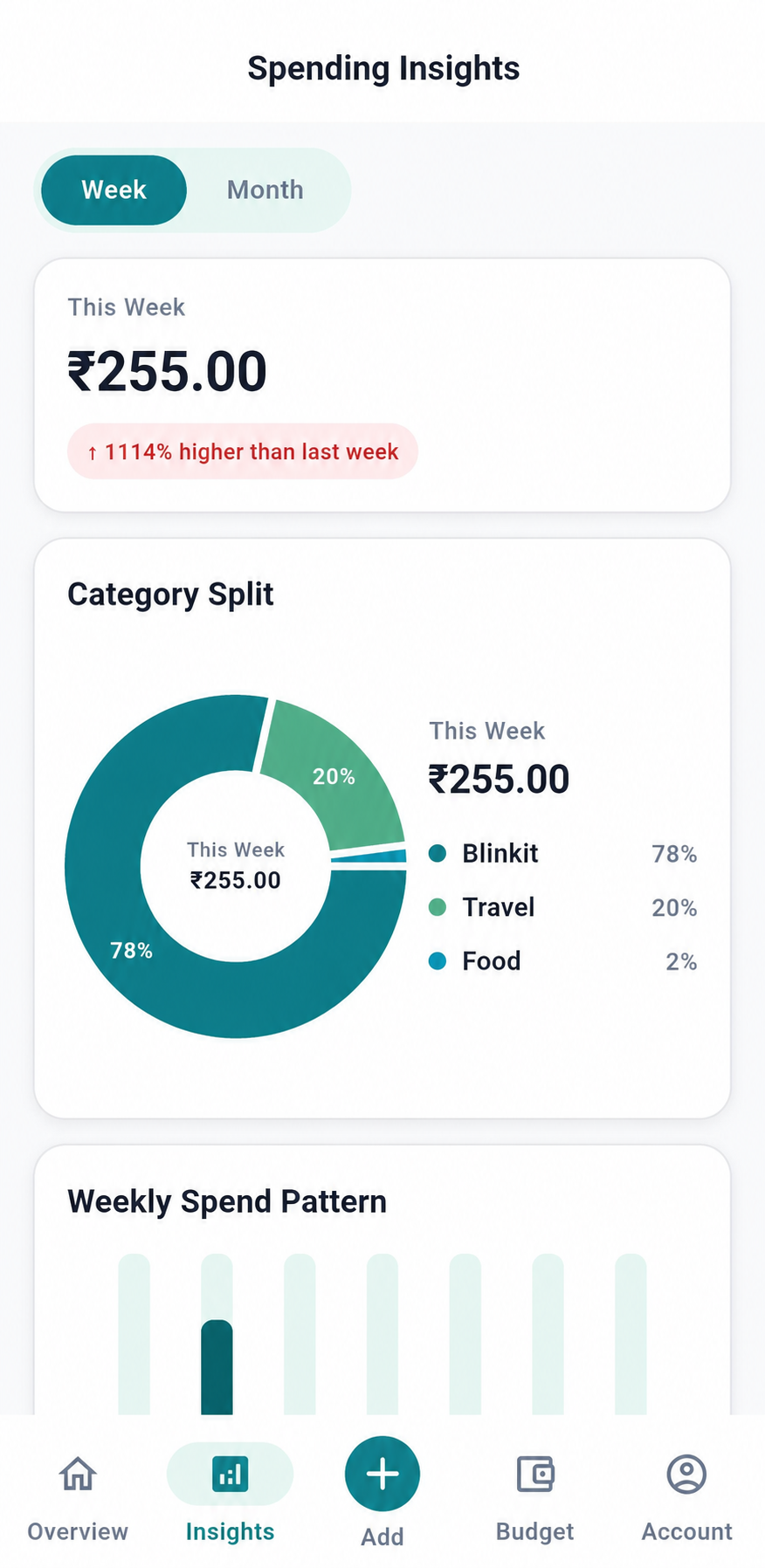
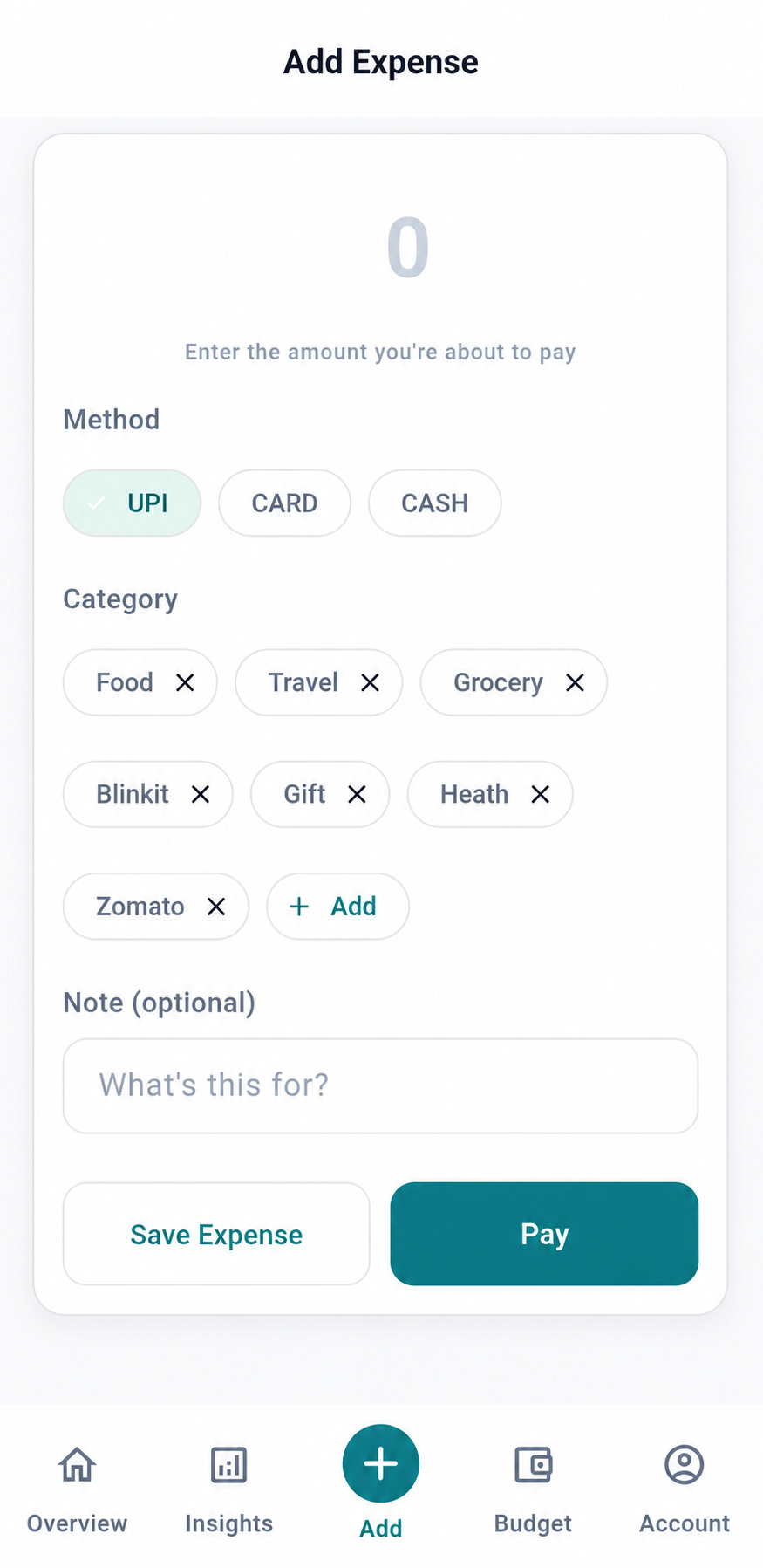
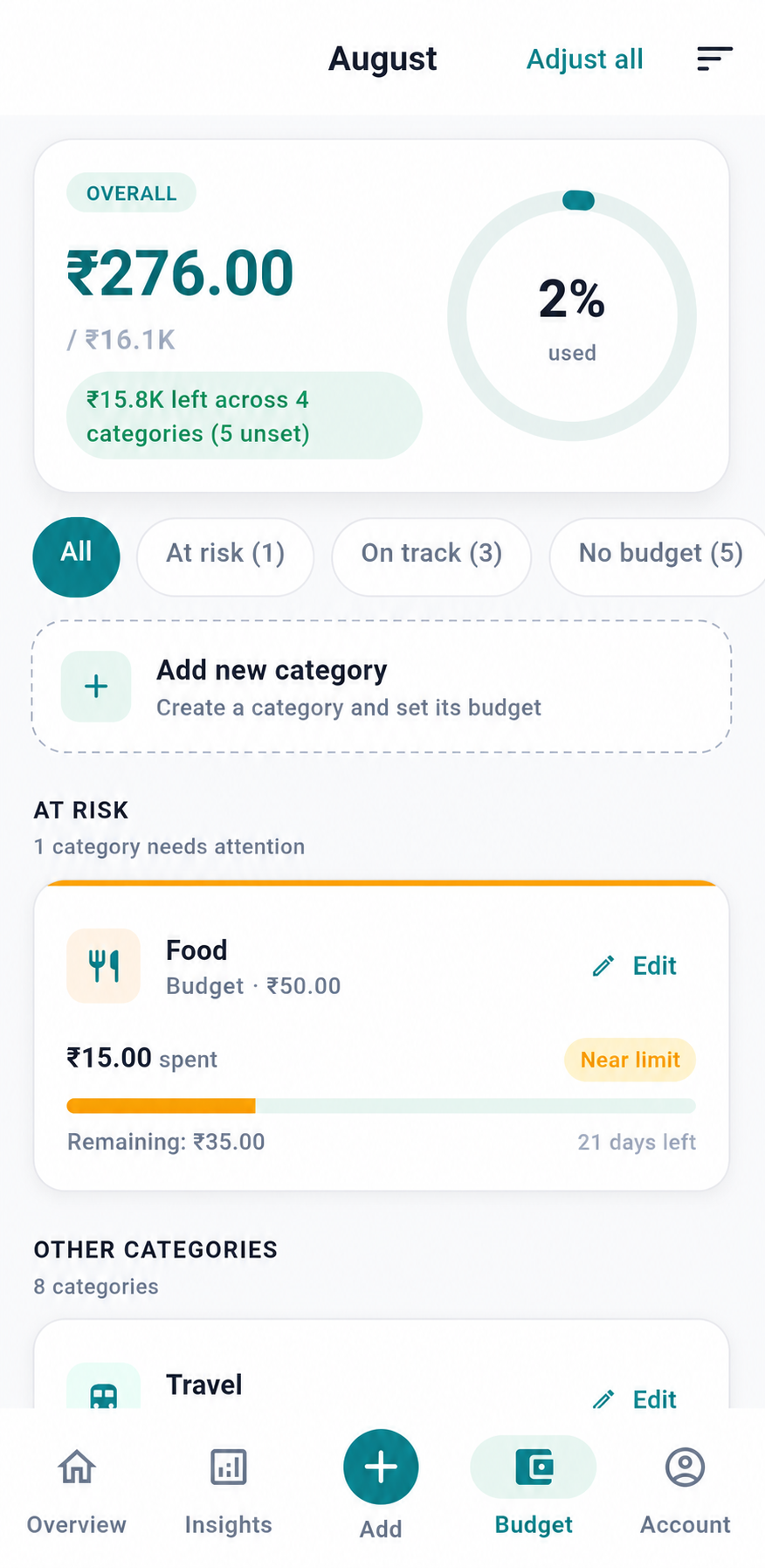
Explore real PayPause screens for recording an expense, reviewing everyday spending, checking category budgets, and understanding spending patterns.
A focused amount and category entry flow.
A calm overview of recent everyday spending.
Category progress and helpful budget context.
Simple patterns across recorded expenses.
Why PayPause
Most expense trackers ask you to remember and record a payment afterwards. With PayPause, you enter the amount, choose a category, and continue to your preferred UPI app—all in one connected flow.
Remember later
Notice now
Amount. Category. A moment to choose with context.
Then continue to your preferred compatible payment app.
Privacy & trust
Trust begins with accurate expectations. We avoid making claims about financial services or protections that do not apply.
PayPause is a personal expense-tracking tool, not a banking service.
Your payment is not stored or processed by PayPause.
Supported payments continue through a compatible app you choose.
Core local functionality is designed for use without an account.
Logged-in users may be able to synchronise supported data, depending on the app version and available functionality. No unconfirmed security or regulatory claims are made here.
Frequently asked
PayPause is available through Google Play and the App Store. The product is still in active testing, and feedback is always welcome.
PayPause is a mindful spending app that fits expense tracking into your payment flow. Enter the amount, choose a category, and continue to your preferred UPI app. Your expense is recorded without needing to add it separately later.
No. PayPause is not a payment processor, wallet, bank, or UPI app. It helps you record the amount, category, note, and budget context before opening your selected UPI app.
No. PayPause does not hold money, transfer funds, provide loans, or process payments. Final payment confirmation happens inside your chosen UPI app.
That is the core idea of PayPause: creating a small mindful pause before spending. It helps you become aware of what you are spending on before continuing to pay.
Yes, where guest mode is available in your app version. Guest data is stored locally on your device and may be lost if you delete the app or clear its data.
If you sign in, your expense, budget, and preference data may be synced securely with the PayPause backend so your account data can be restored and managed.
No. PayPause does not collect your UPI PIN, bank password, card details, bank account number, or UPI app login credentials.
Yes. Open the Account tab and use the Default UPI App setting to choose which compatible UPI app PayPause should open when you continue to pay. If no default is selected, Android may show an app chooser.
You can set category budgets. When an expense is close to or crosses a budget, PayPause may show an in-app warning so you can think before continuing.
In the current MVP, PayPause focuses on intent capture and UPI handoff. Payment completion depends on the third-party UPI app, so always check that app for the final payment status.
You can delete your account from within the app where available, or follow the instructions on the public Account and Data Deletion page.
PayPause is currently in active testing, and your feedback is welcome. Email paypause.team@gmail.com with suggestions, usability feedback, or details about anything that did not work as expected.
Email paypause.team@gmail.com and include your registered email address and a short description of the issue.
Available now · Android & iPhone
Download PayPause from Google Play or the App Store and bring mindful expense tracking closer to the moment you pay.
Currently in active testing
We are continuing to improve PayPause and welcome feedback, suggestions, and reports about anything that feels unclear.
Share feedback